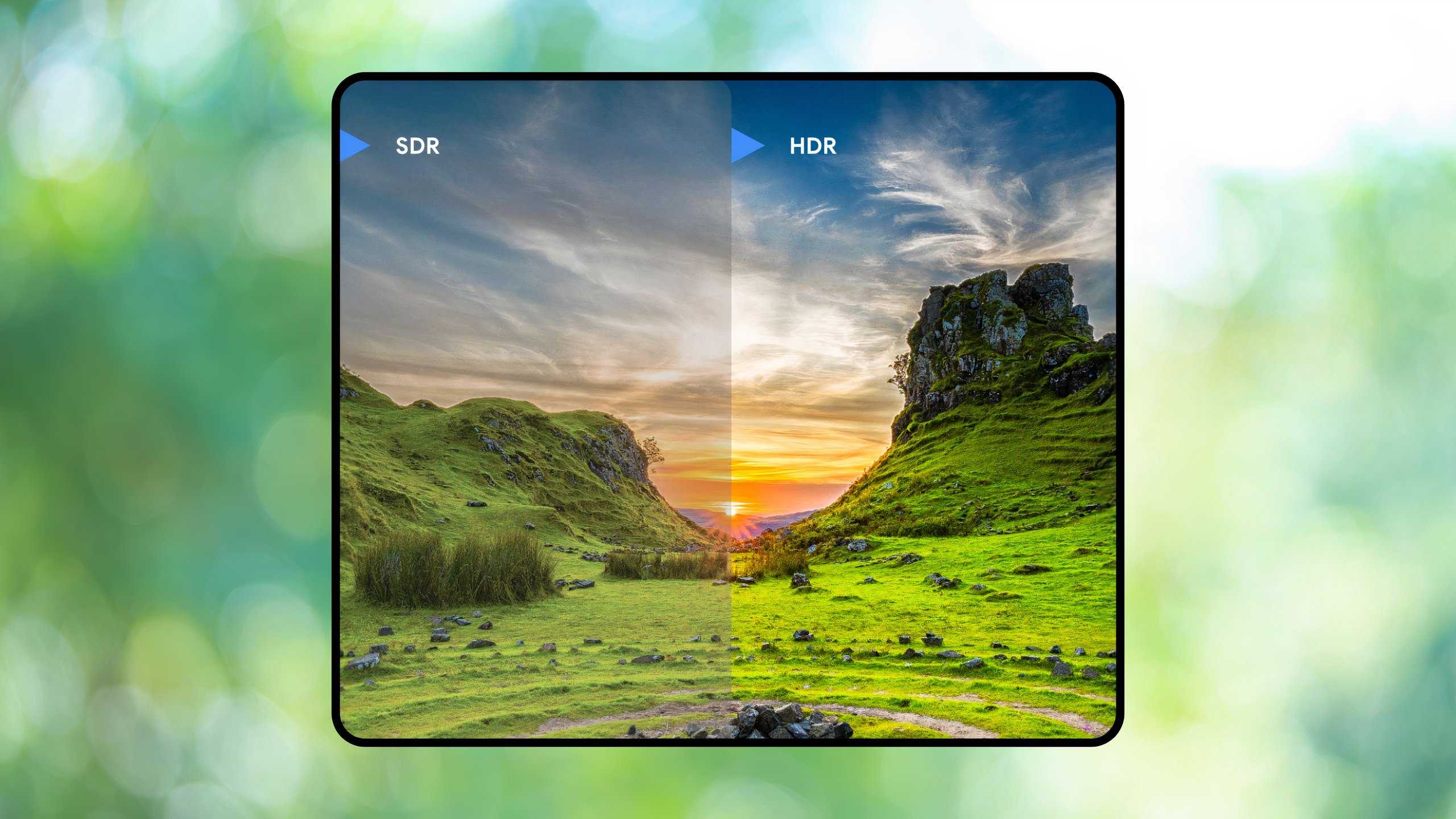
I’m a big fan of picture quality, and who isn’t, really? What you might not know is that there are various levels of picture quality. If you have a modern 4K TV, then you more than likely enjoy HDR10 without even knowing it. HDR10 is a great upgrade over basic SDR, and I’m glad people can enjoy it without having to go out of their way. Even budget-friendly TVs can give you a good experience.
Dolby Vision is a step up from that, and that’s only if you buy a TV that’s capable of it. This typically means grabbing a more expensive TV, and while I think it’s worth the price, HDR10 is perfectly fine for a lot of people. I imagine that unless you have Dolby Vision side by side with HDR10, you might not even see the difference if you have a good screen to go with it.
Honestly, I’d be happy with either of the two formats. Sadly, things get a bit rough when you introduce monitors into the mix. I think gaming benefits immensely from good HDR, but you need to splurge for it on PC. It’s very easy to come away with lackluster HDR on budget-friendly monitors, and that’s a bummer.
Not all HDR is good HDR
The sad truth
HDR is a great way of making your picture go up in a noticeable way, but when it’s not up to par, it’s a glaring weakness. For example, I work on an HP X34 ultrawide monitor, and while I love the extra screen real estate it offers, its HDR is abysmal. It comes equipped with HDR400, which you’d think would be better than HDR10 based on the name, but that’s not the case. Even if you get your settings dialed in, it’s not going to magically transform your picture.
The local dimming is so bad that it can’t make my games pop, and the result is usually some washed-out-looking screen. How much that matters varies by person, but I’ve pretty much settled on never having it toggled on. I’d rather have regular SDR than HDR400. Maybe there are some secret tweaks I don’t know about, but this really isn’t an enjoyable experience.
Good screens matter the most for picture quality.
It’s important to note that this monitor is sold with the expectation of HDR, and yes, it does provide it. However, it’s very much a case of you needing to do research beforehand to figure out if the implementation of HDR is worth it or not. In this case, and I would imagine with anything else equipped with HDR400, it’s not worth the trouble. Now, I don’t think it’s something you should avoid, because I love my monitor aside from that. It’s just not something to get too excited about if you buy a monitor in the hopes that it’ll have good HDR support.
I honestly think the best way to experience HDR on your PC is to simply plug it into your TV. Yes, that probably means you’ll have to use HDMI instead of DisplayPort, but I think it’s a worthwhile tradeoff. That does mean you have to get a long HDMI cable, move your TV, or move your PC. It’s not easy for a lot of people, but I think it beats paying for a monitor with poor HDR implementation.
Be mindful of what you’re buying
Lots of duds out there

For whatever reason, HDR feels like a gimmick on monitors, and it’s annoying. There are tiers of HDR, and HDR400 is at the bottom of the pile. The step up from it is HDR600, and I wouldn’t call that great either. It feels like HDR1000 is where you’ll start to see the performance you want.
To make matters worse, to get an HDR1000-equipped monitor, you have to spend an arm and a leg to do it. I think what you should prioritize instead is an OLED or Mini-LED screen. This ensures you’ll be able to get your true blacks, and that’s what allows HDR to really shine. If you’re using a monitor where you can hit those low lows and those high highs, it’s going to struggle. This is how OLED shines, and it’s often why you see people recommending them for the best picture quality. It’s a big reason why people were sad to see the Switch 2’s screen leave behind the OLED that made the Switch 1 so good.
It’s very easy to come away with lackluster HDR on budget-friendly monitors, and that’s a bummer.
As is the case with almost all technology, you need to research what you buy before you buy it. With how expensive everything is, there’s no reason not to take this step. I’ve been burned many times buying something expensive without properly researching it, and I don’t want to do that again.
I didn’t buy my monitor for its HDR capabilities, but I sure didn’t expect them to be as bad as they are. I would’ve known this if I had done a little bit of research beforehand. It’s not the end of the world since I want the ultrawide display over everything, so it’s not like I regret my purchase. Yes, I would’ve liked it if the HDR was at least usable, but it’s okay.